Items marked Sample TBD could not be confirmed from public product data or release notes and need verification before publishing. Items marked Unverified come from reviews or retailers rather than the manufacturer. All SLSA levels are our own estimates, since no vendor publishes SLSA data.
A thin Bluetooth hardware wallet that pairs with the imToken app. Keys are generated and stored in an Infineon secure element certified to CC EAL6+ and EMVCo.
The imKey Pro works together with the imToken mobile app. The app shows your balances and sends transactions to the device for approval.
·Pairs with imToken over Bluetooth
·Unique serial number on the deviceUnverified
·Firmware version shown in the imToken appSample TBD
imKey Pro
2021 –
One hardware version.Sample TBD
Secure elementBluetooth
Teardown
What our teardown shows
Findings from our teardown will be published here.Sample TBD
Secure element
Generates and stores keys offline. Dual CPUs handle error detection and self-testing.
Bluetooth module
Connects to the imToken app.
Battery
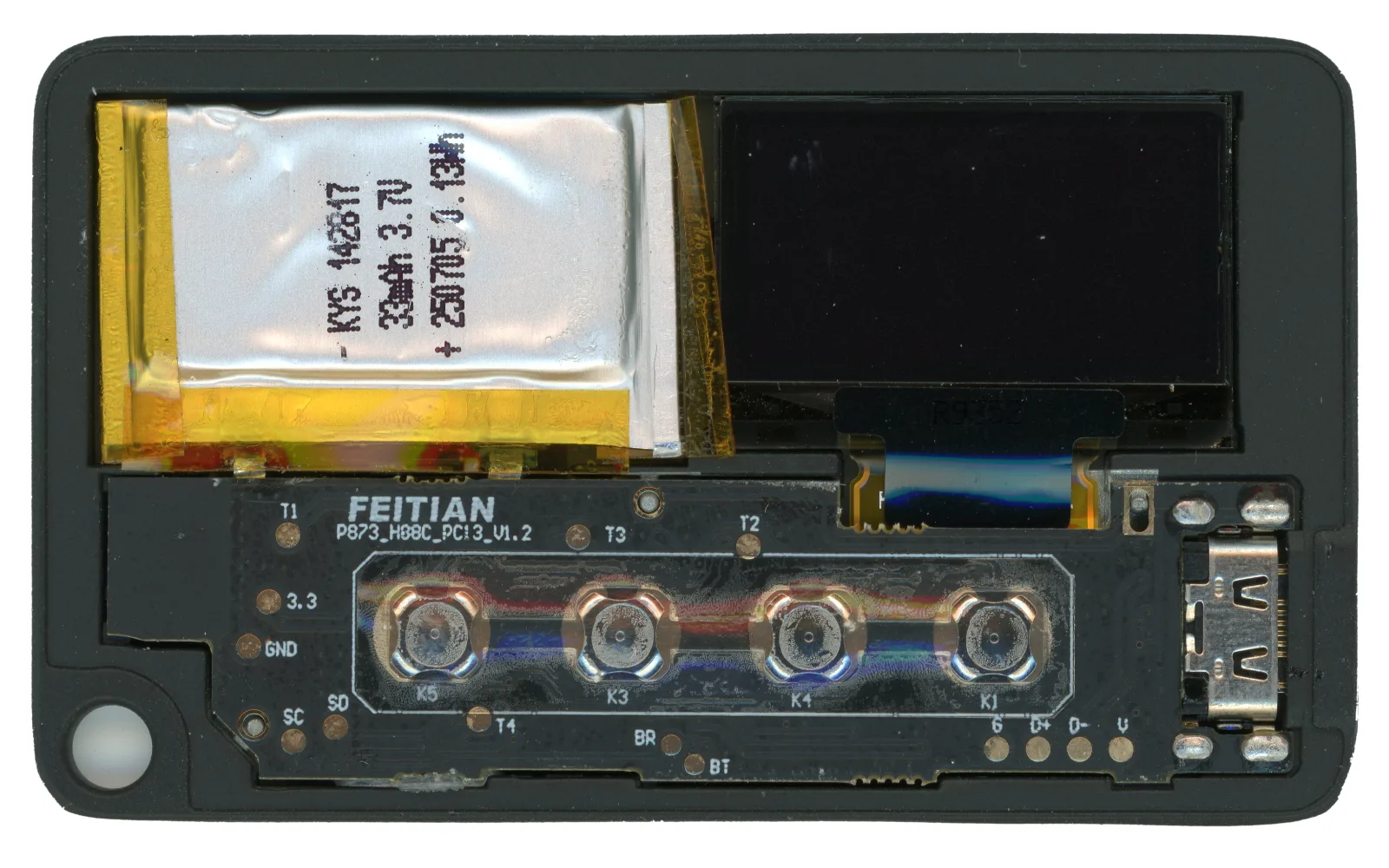
Lithium-ion, 33 mAh, 3.7 V, confirmed in our teardown.
Display
Shows transaction details for approval.
From the lab
Inside the imKey Pro
Images from our own teardown of this device. Click any image to open it full size.
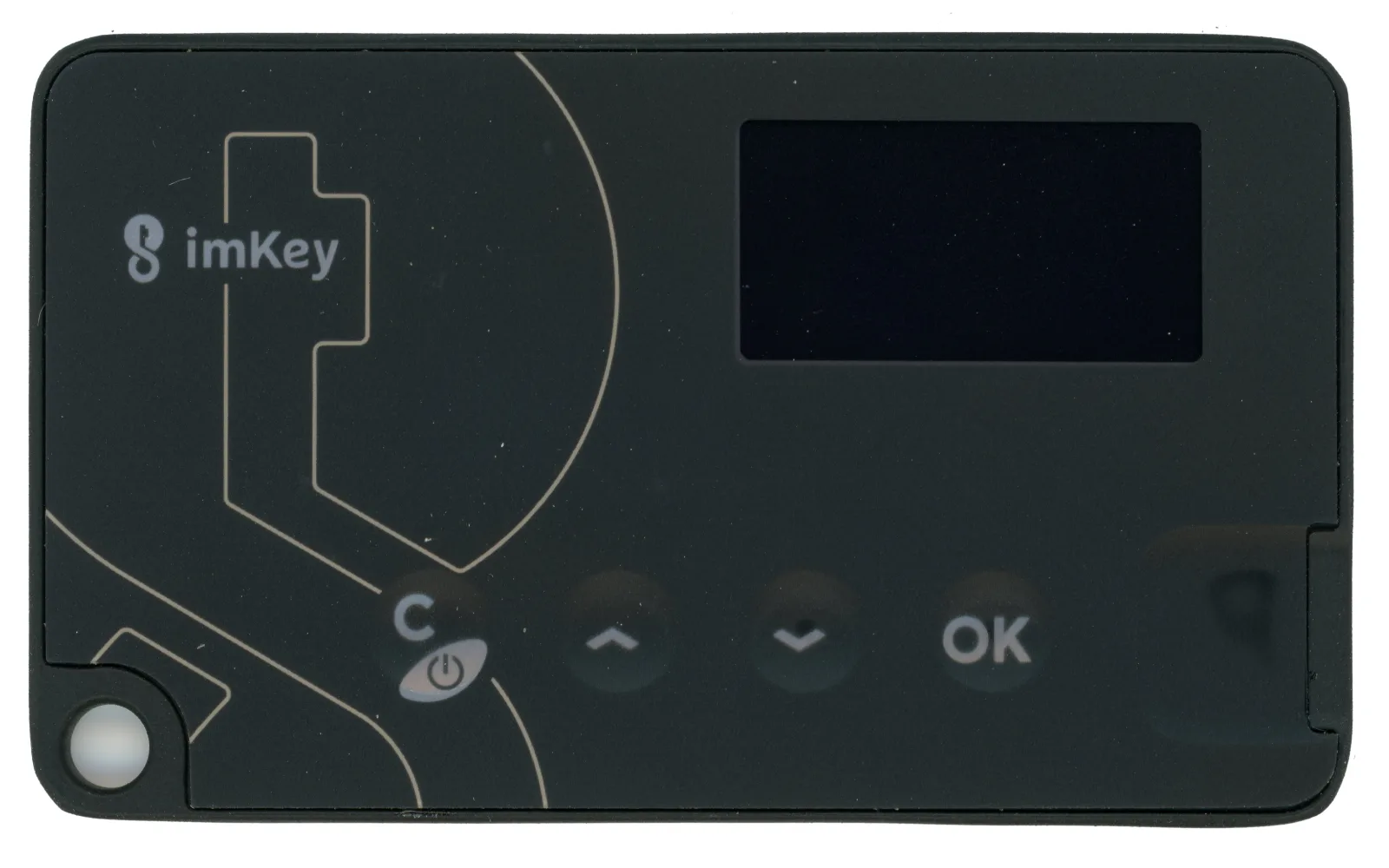
Front
Screen and buttons on the card-shaped case.
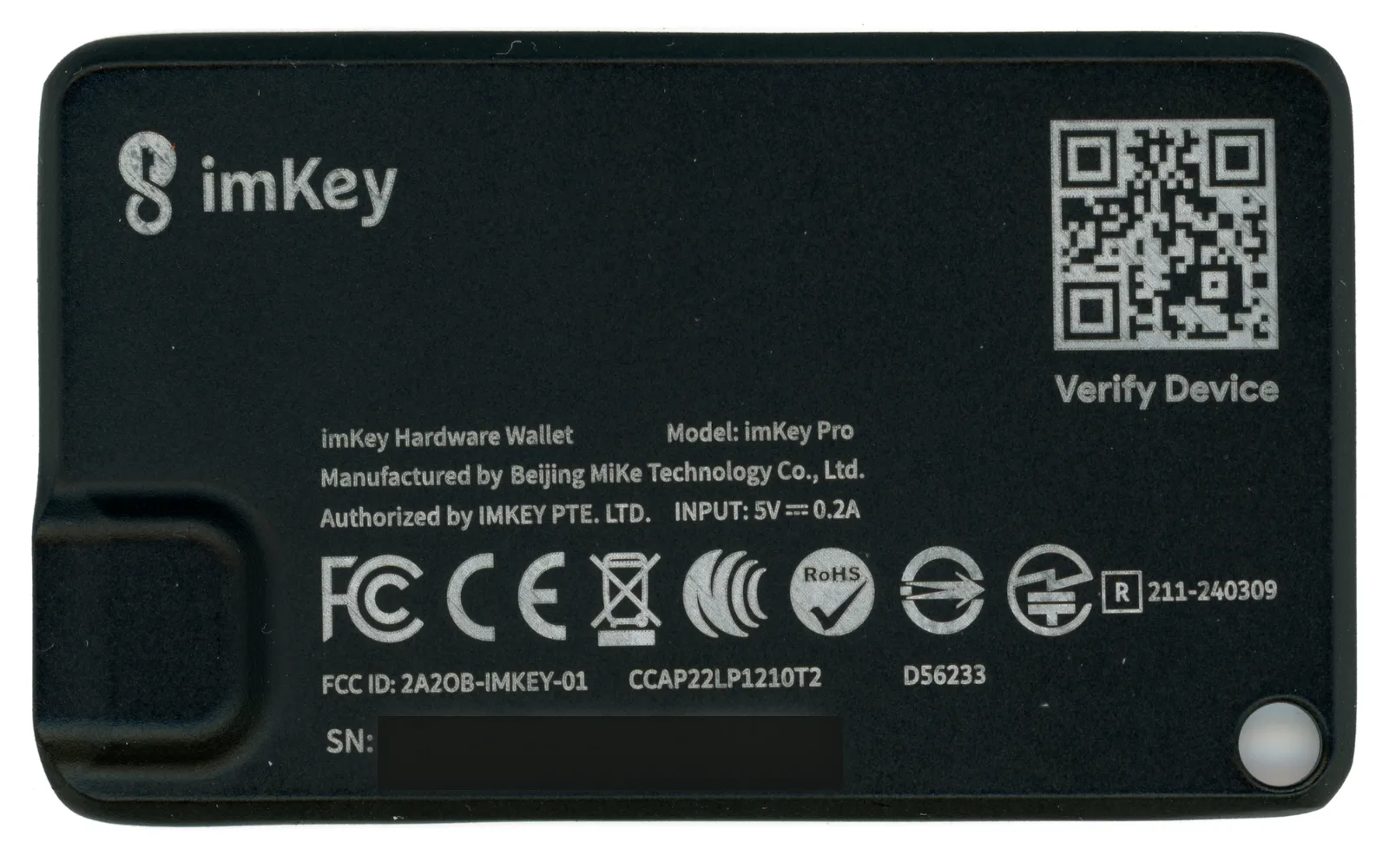
Back
Model label: imKey Pro, made by Beijing MiKe Technology Co., Ltd. for IMKEY PTE. LTD. FCC ID 2A2OB-IMKEY-01. The QR code links to imKey’s device verification.
Inside, front
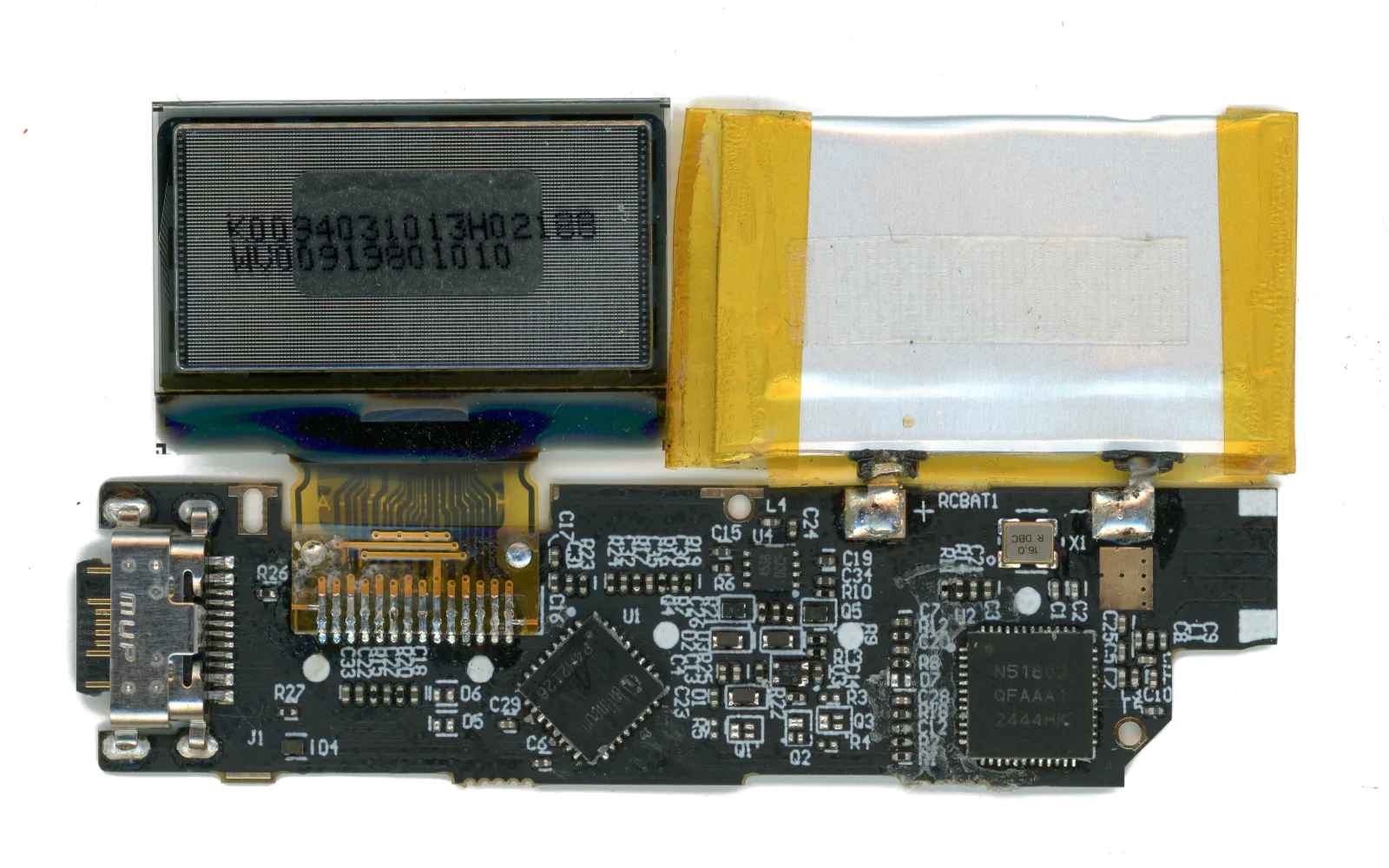
Feitian-made board, revision P873_H88C_PCB_V1.2, with four buttons, USB-C port, display and a 33 mAh, 3.7 V battery.
Circuit board, back
The display and battery folded out. A Nordic nRF51802 Bluetooth chip (U2) and an Infineon chip (U1), most likely the secure element.
X-ray
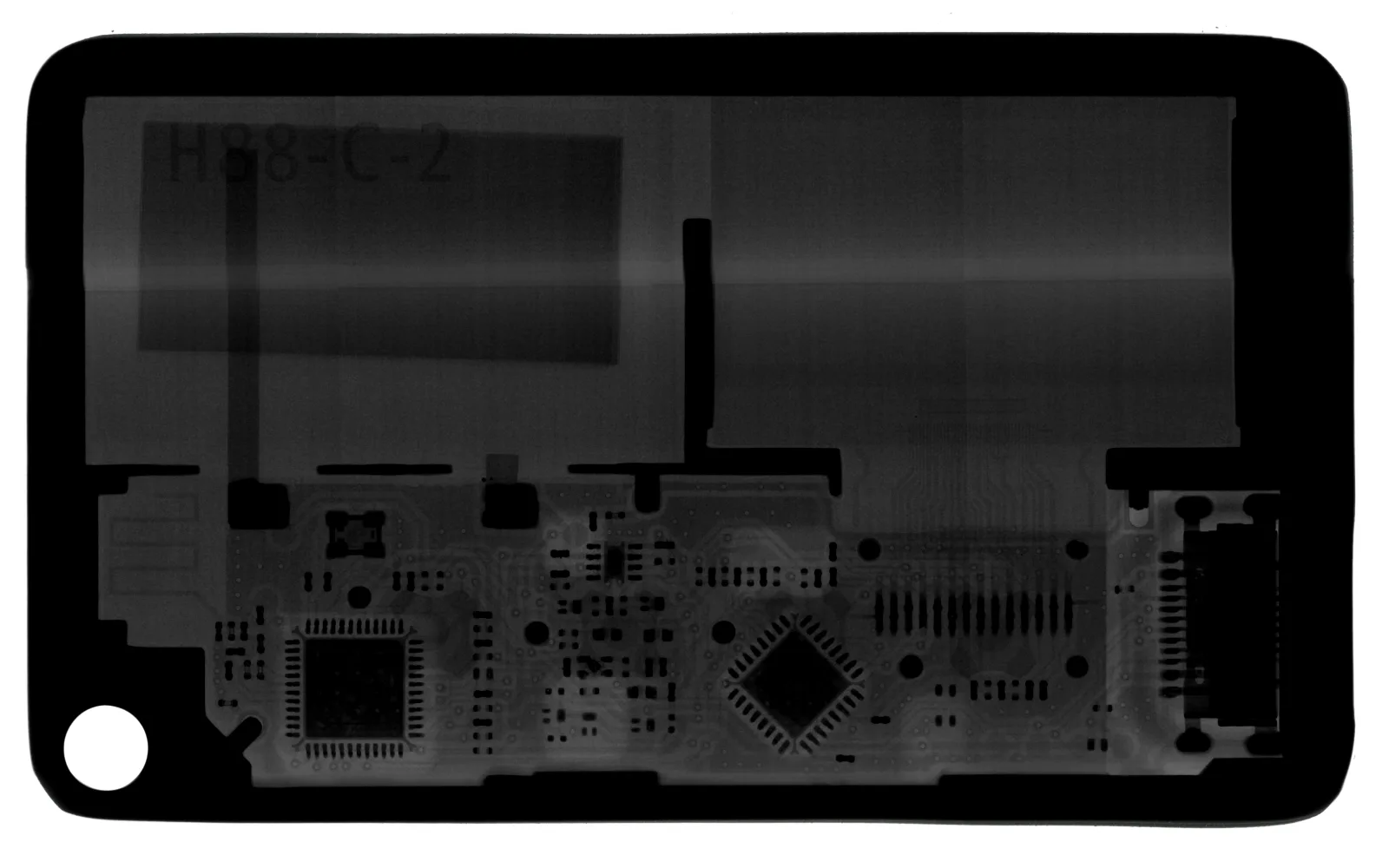
The assembled device, showing the board, battery and display inside the case.
Firmware versions
What changed, version by version
The firmware, called COS, runs on the secure chip and is upgraded through the imKey Manager desktop app. imKey lists firmware releases in its support centre.
Version
Released
What changed
PIN handling
Notes
Initial release
30 Aug 2021
First imKey Pro firmware. Adds USB firmware upgrades from a computer.
In SE
The earlier imKey Standard Edition shipped 31 Dec 2019