Items marked Sample TBD could not be confirmed from public product data or release notes and need verification before publishing. Items marked Unverified come from reviews or retailers rather than the manufacturer. All SLSA levels are our own estimates, since no vendor publishes SLSA data.
Wallet Teardowns/Trezor/Model One
Teardown · SatoshiLabs

Trezor Model One

The first mass-market hardware wallet. Its firmware 1.0.0 shipped in February 2014 and it still receives updates in 2026. The firmware is fully open source, and how it protects your PIN depends heavily on which version the device runs.
Trezor Model One
Released
2014
Microcontroller
STM32F205 (Cortex-M3)
Secure element
None
Display
128 × 64 OLED
Input
Two buttons
Connection
Micro-USB
Firmware licence
GPLv3
Latest firmware
1.14.1 (March 2026)
Identify your device

Three generations, one case

Every Model One looks the same from the outside. What matters for recovery is the firmware inside, which changed how the seed and PIN are stored.
·Two physical buttons beside a small monochrome screen
·Micro-USB port on the short edge
·The firmware version appears in Trezor Suite under Settings → Device
Legacy storage
Firmware 1.0.0 – 1.7.3 · Feb 2014 – Dec 2018
The seed sits in flash protected by the chip’s readout protection. The PIN gates access but does not encrypt the stored secrets.Sample TBD
Seed not PIN-encryptedSample TBD
Encrypted storage
Firmware 1.8.0 – 1.8.3 · Feb – Sep 2019
Firmware 1.8.0 upgraded the device to a new storage format with security improvements. The PIN is stretched with PBKDF2-HMAC-SHA256 to derive the key that unlocks storage.
PBKDF2-stretched PIN
Wipe code
Firmware 1.9.0 and later · Apr 2020 –
Introduces the wipe code and passphrase cache on top of encrypted storage.
PBKDF2-stretched PINWipe code
Teardown

A general-purpose chip does all the work

With no secure element, every secret lives in the main microcontroller. Security rests on the chip’s readout protection and on encryption derived from your PIN.
STM32F205 MCU
Runs the firmware and holds the encrypted seed in internal flash.
OLED display
Driven directly by the MCU. Shows addresses and the PIN matrix.
Buttons
Two tactile switches for confirmation.
USB
Micro-USB for power and data. No battery, no wireless.
Secure element
None. This is the main difference from Trezor Safe models.
From the lab

Inside the Trezor Model One

Images from our own teardown of this device. Click any image to open it full size.
Trezor Model One
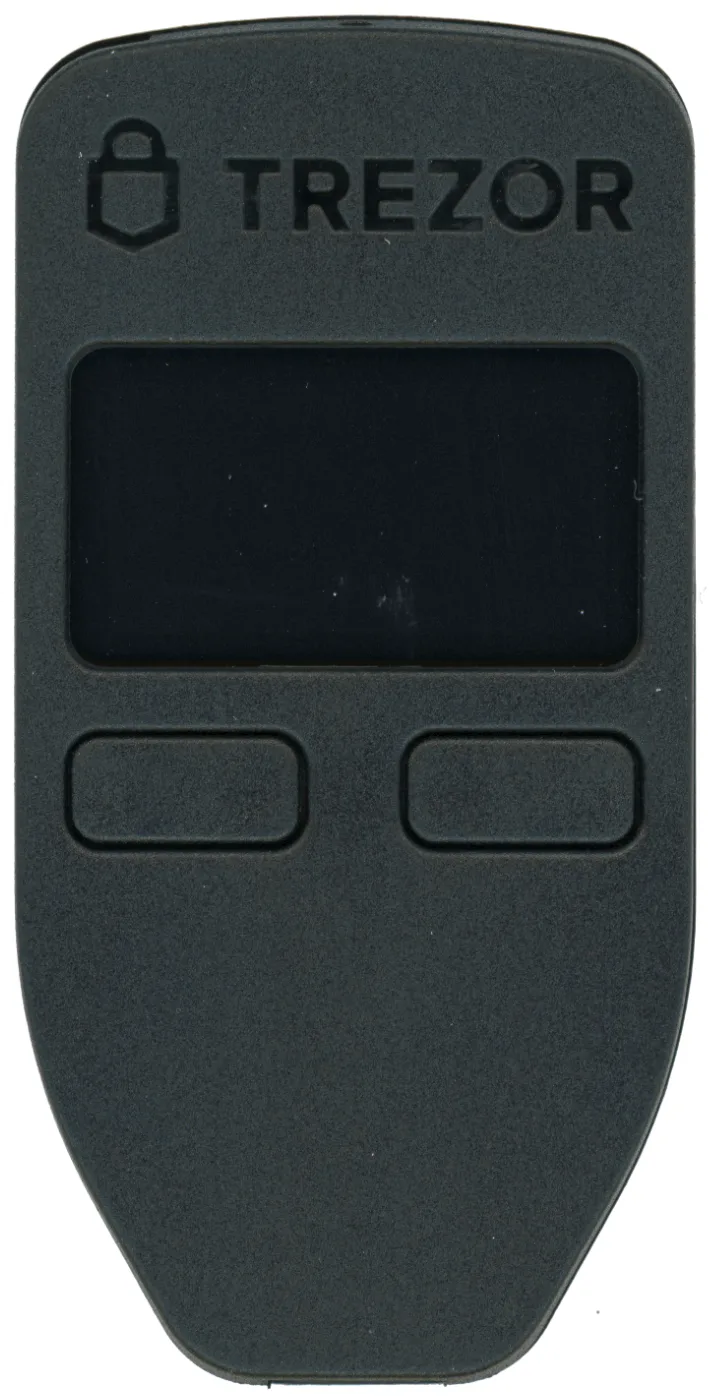
Front
Display and the two buttons.
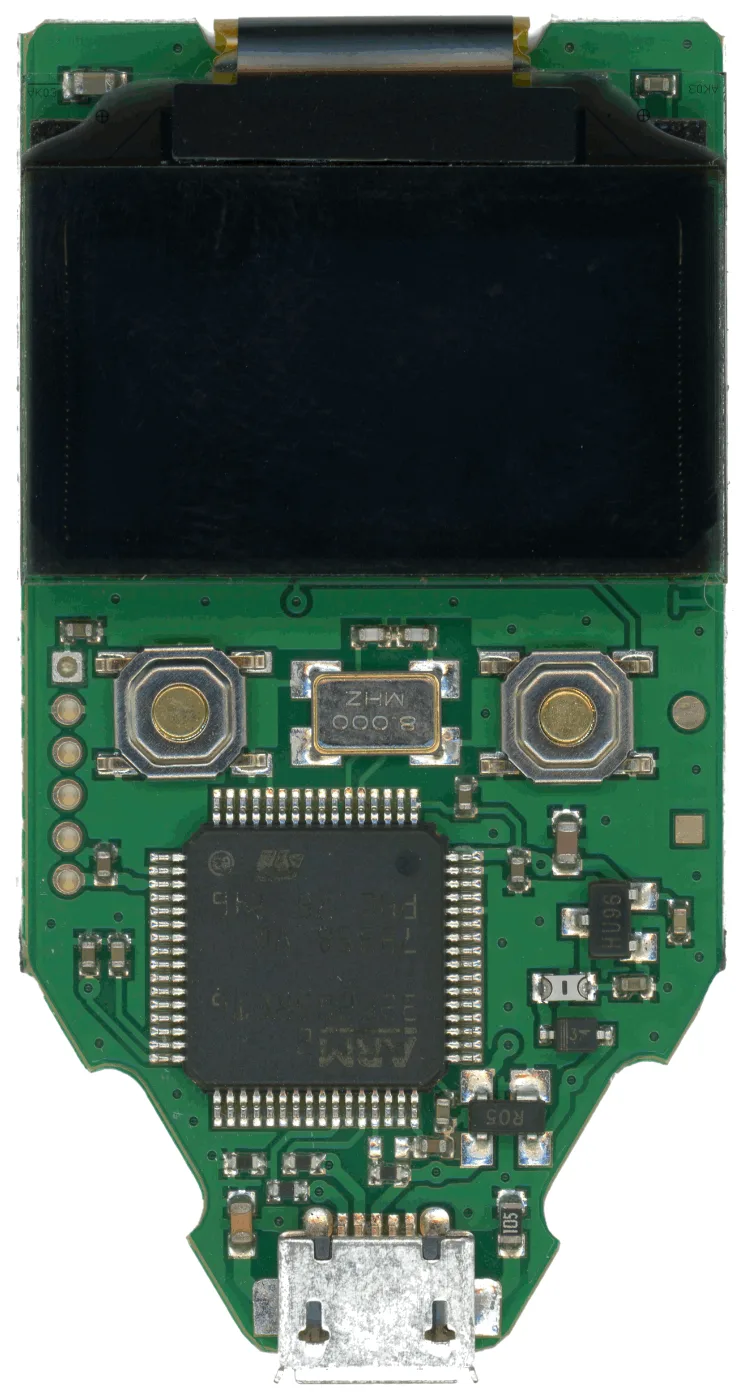
Trezor Model One: Circuit board, front
Circuit board, front
OLED display, the two buttons and the STM32F205 microcontroller above the micro-USB port. There is no secure element.
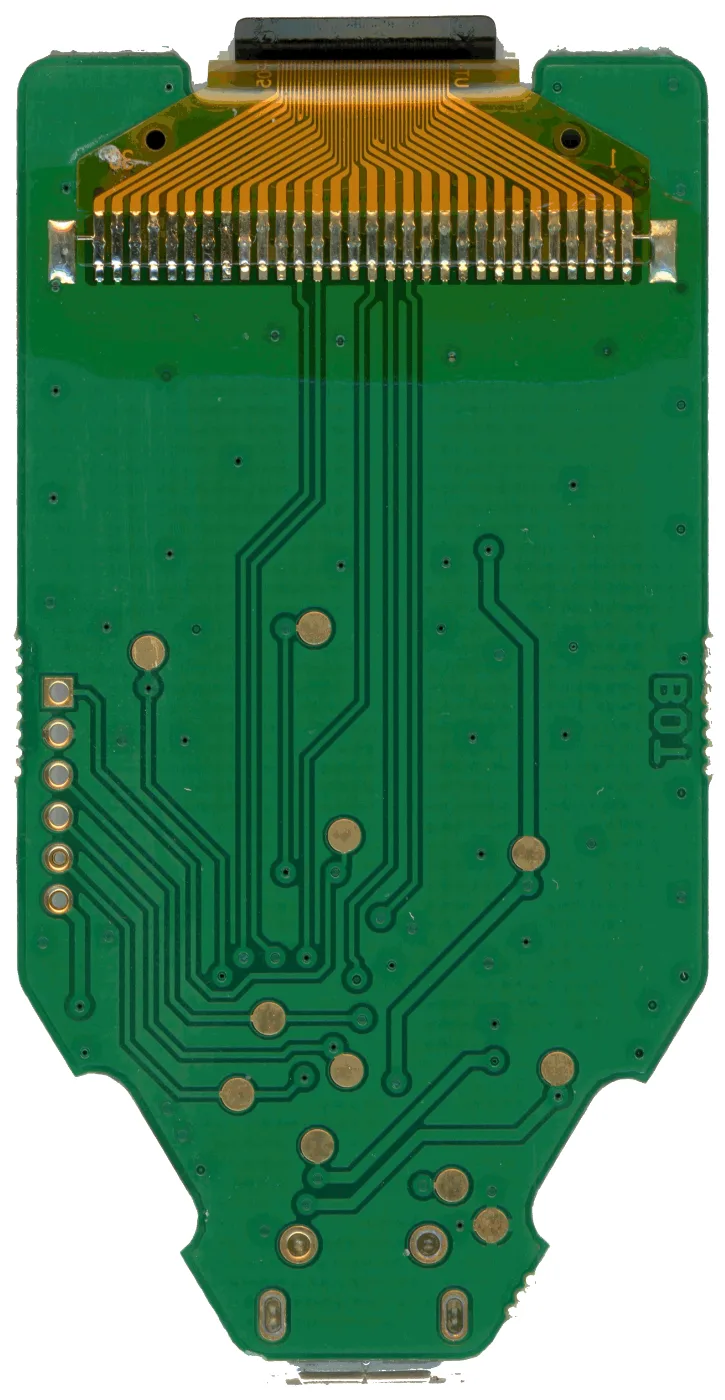
Trezor Model One: Circuit board, back
Circuit board, back
Display ribbon cable and traces on the underside.
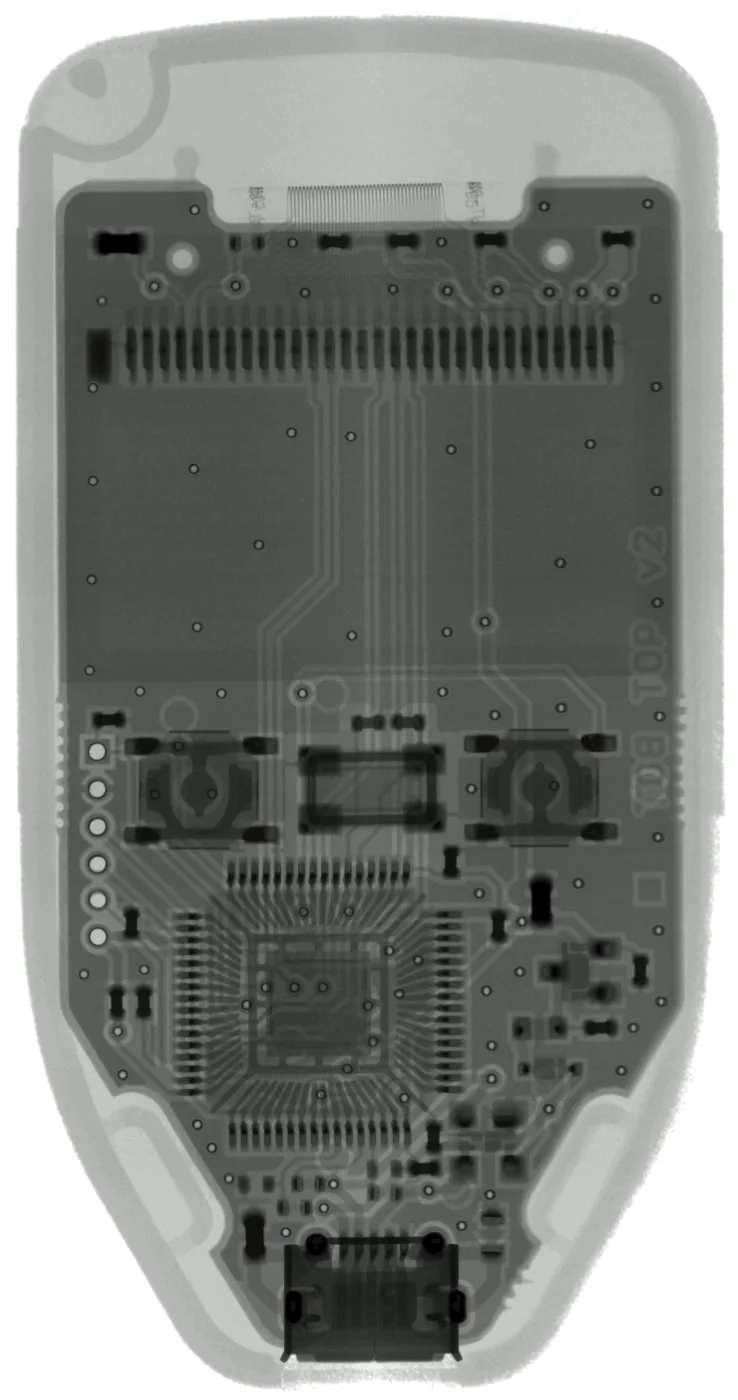
Trezor Model One: X-ray
X-ray
The assembled device inside its case.
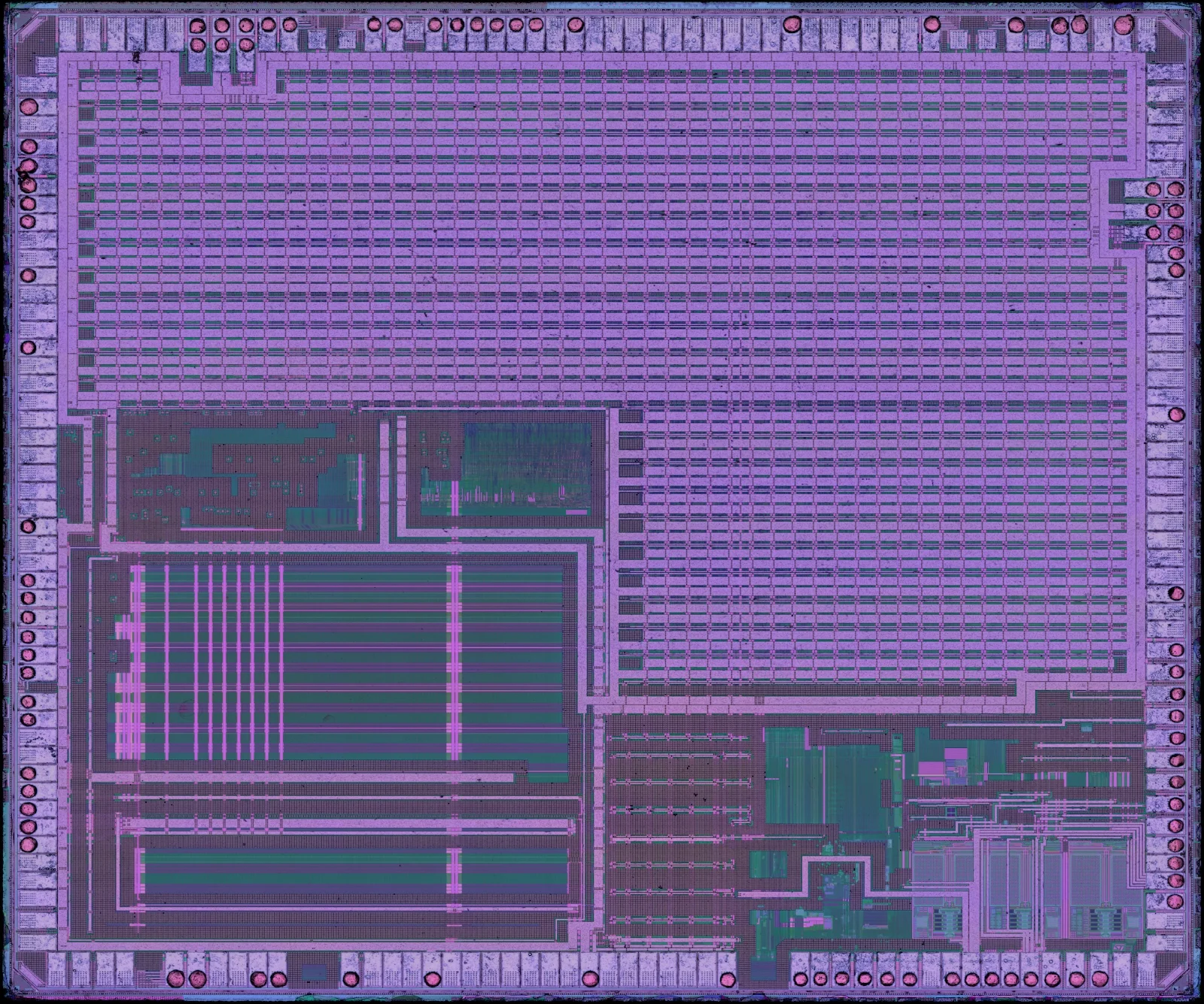
Trezor Model One: STM32F205, decapped
STM32F205, decapped
The microcontroller die at 700× magnification. It holds the firmware and the encrypted seed.
Hardware wallet layers revealed during in-house analysis
CT scan animation
A CT scan stepping through the device layer by layer.
Firmware versions

What changed, version by version

Versions and dates from Trezor’s official firmware changelog. The rows below are the releases that changed how secrets are stored or unlocked.
VersionReleasedWhat changedPIN handlingNotes
1.14.118 Mar 2026Latest releasePBKDF2Current recommended version
1.12.115 Mar 2023Security and coin-support updatesSample TBDPBKDF2—
1.10.012 May 2021Bootloader updateSample TBDPBKDF2Older devices may need to step through updatesSample TBD
1.9.015 Apr 2020Introduces wipe code and passphrase cachePBKDF2Wrong wipe code erases the device
1.8.027 Feb 2019New storage format, security improvements, bootloader 1.8.0PBKDF2Changes the recovery approach
1.6.121 Mar 2018Fixes following public research disclosuresSample TBDLegacy—
1.0.029 Feb 2014Initial releaseLegacy—
Full release notes: Trezor firmware changelog ↗
Security profile

How it scores

Ratings apply to the latest firmware unless noted. SLSA levels are our estimate from the public build pipeline, not a manufacturer attestation.
Secure element
Keys stored in the general-purpose MCU.
None
Open-source firmware
Full source published under GPLv3.
Yes
Reproducible build
Trezor publishes steps to reproduce the signed binary’s fingerprint.
Documented
Signed updates
Bootloader checks manufacturer signatures.
Yes
SLSA build level (estimated)
Our estimate. Not published by Trezor.
L2
PIN hashing
From firmware 1.8.0. Earlier versions differ.
PBKDF2-SHA256
Public extraction attack
Ledger Donjon published a physical seed-extraction attack that affects Trezor One and Model T. It takes under 5 minutes with about $100 of equipment and cannot be patched in firmware. A passphrase protects against it.
Yes
If you are locked out

The firmware version shapes the approach

A Model One on legacy firmware and one on current firmware need very different work. Knowing the version, or roughly when the device was last updated, tells us a lot before we see it.
Before you contact us
1Don’t keep guessing the PIN. The wait doubles after each wrong entry and the device wipes after 16 attempts.
2Don’t update the firmware. An update can change how the seed is stored.
3Note when you bought the device and when you last used it.

Locked out of a Trezor Model One?

Tell us the model and firmware version. The first case review is free and confidential.