Items marked Sample TBD could not be confirmed from public product data or release notes and need verification before publishing. Items marked Unverified come from reviews or retailers rather than the manufacturer. All SLSA levels are our own estimates, since no vendor publishes SLSA data.
Trezor’s touchscreen wallet, first shipped with firmware 2.0.5 in March 2018. It shares the Model One’s open-source approach and lack of a secure element, with a faster chip, a colour screen and a microSD slot.
The Model T is easy to spot from its colour touchscreen. What matters for recovery is the firmware generation, which changed how storage is encrypted.
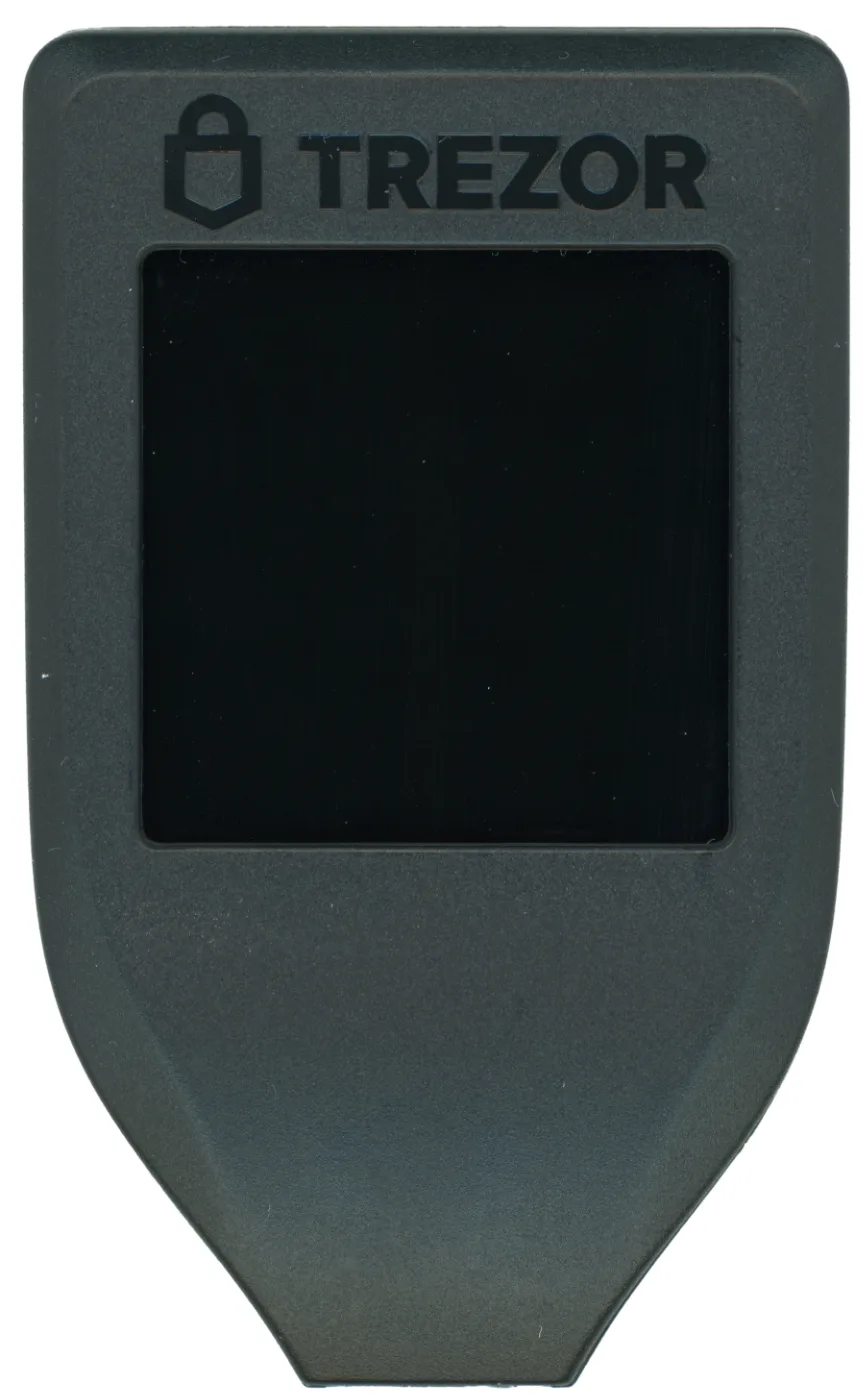
·Colour touchscreen, no physical buttons
·USB-C on the bottom and a microSD slot on the side
·Firmware version in Trezor Suite under Settings → Device
Launch firmware
2.0.5 – 2.0.10 · Mar – Dec 2018
Original storage format.
Legacy storage
Encrypted storage
2.1.0 – 2.1.8 · Mar – Nov 2019
Released alongside the Model One’s 1.8.0 with the same new storage format. The PIN is stretched with PBKDF2-HMAC-SHA256.
PBKDF2-stretched PIN
Wipe code
2.3.0 and later · Apr 2020 –
Storage changes for the wipe code first shipped in 2.2.0, which was retracted. 2.3.0 introduced the wipe code and passphrase cache. Optional SD card protection splits the PIN secret between the device and a microSD card.Sample TBD
Like the Model One, all secrets sit in the main microcontroller. SD card protection is the one feature that can move part of the secret off the device.
STM32F427 MCU
Runs the MicroPython-based firmware and stores encrypted secrets.
Touchscreen
Colour LCD with capacitive touch.
microSD slot
Used for SD card protection when enabled.
USB-C
Power and data. No battery, no wireless.
Secure element
None.
From the lab
Inside the Trezor Model T
Images from our own teardown of this device. Click any image to open it full size.
Front
Colour touchscreen. There are no physical buttons.
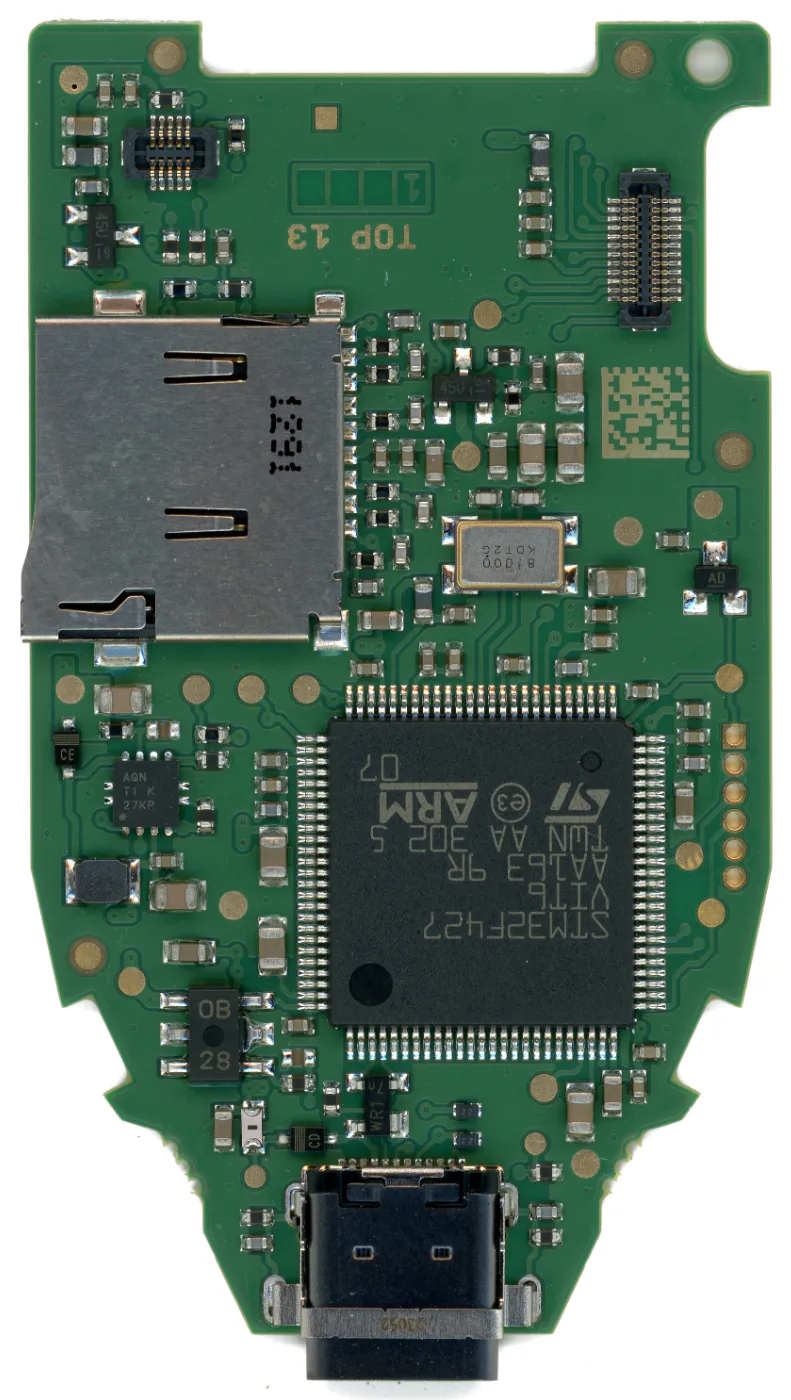
Circuit board, front
STM32F427 microcontroller, microSD slot and USB-C port. There is no secure element.
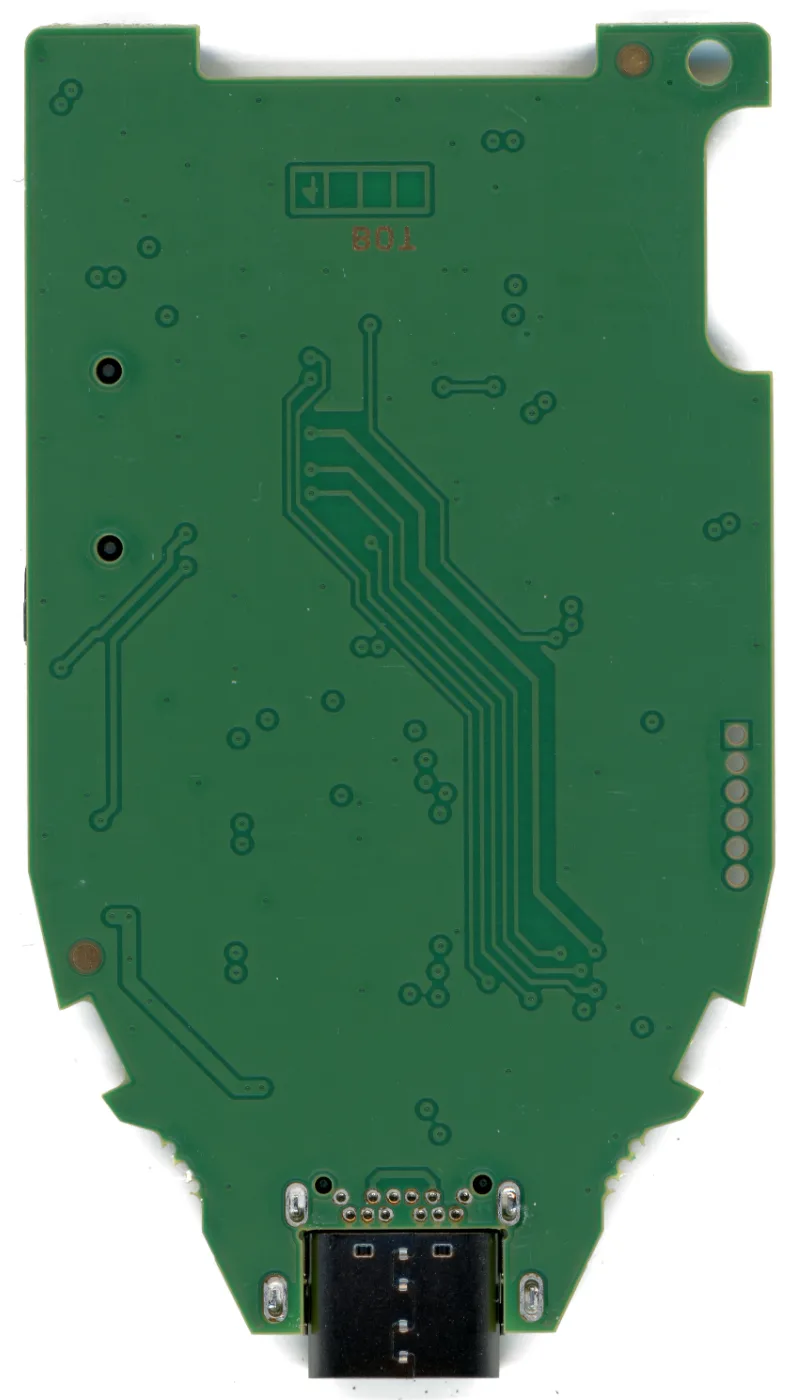
Circuit board, back
Traces on the underside, with the USB-C port at the bottom.
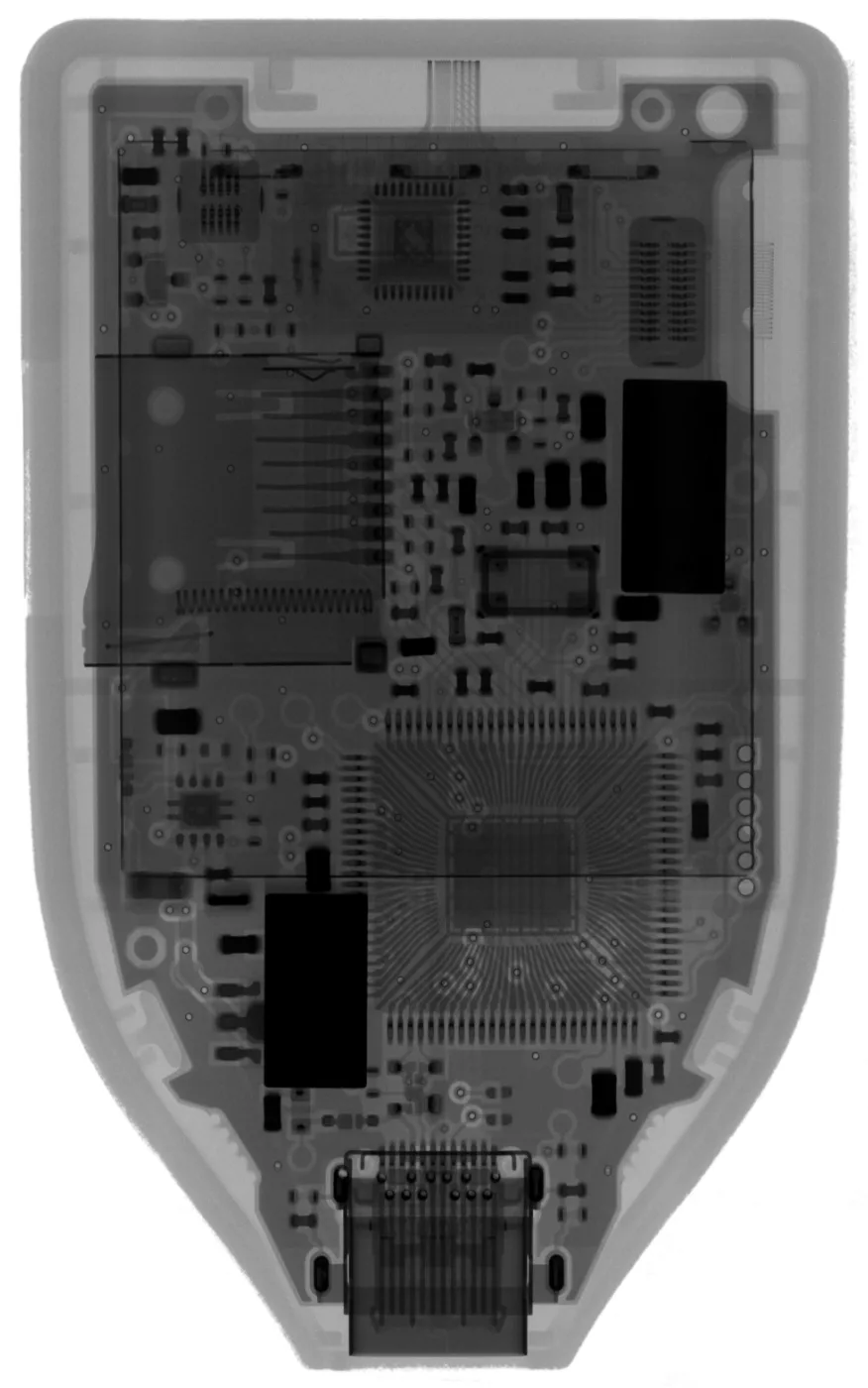
X-ray
The assembled device inside its case.
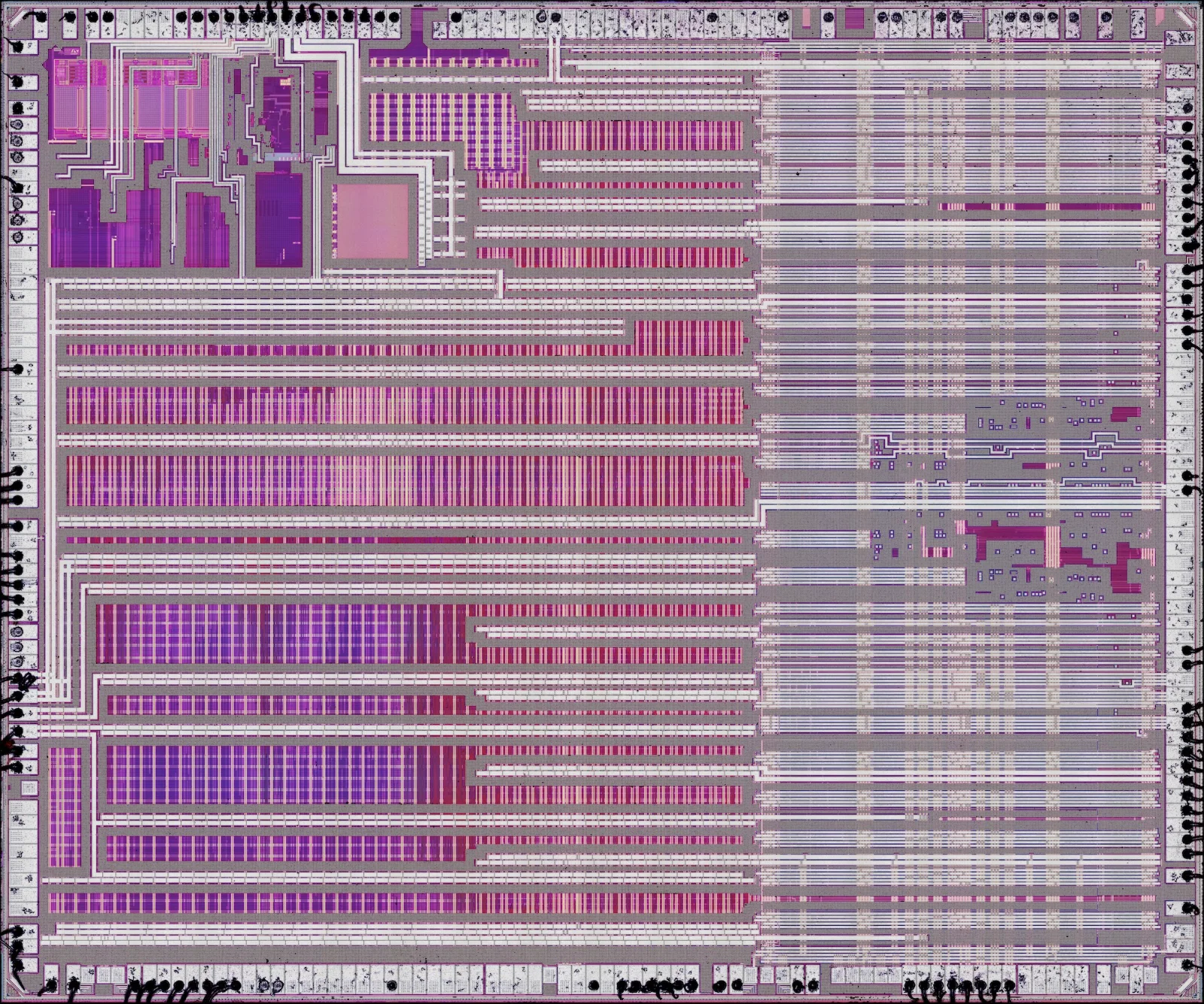
STM32F427, decapped
The microcontroller die at 700× magnification. It holds the firmware and the encrypted seed.
CT scan animation
A CT scan stepping through the device layer by layer.
Firmware versions
What changed, version by version
Versions and dates from Trezor’s official firmware changelog. The rows below are the releases that changed how secrets are stored or unlocked.
Version
Released
What changed
PIN handling
Notes
2.12.5
16 Sep 2026
Latest release
PBKDF2
Current recommended version
2.3.0
15 Apr 2020
Introduces wipe code and passphrase cache
PBKDF2
SD card may be needed to unlock if SD protection is on
Trezor publishes steps to reproduce the signed binary.
Documented
Signed updates
Bootloader checks manufacturer signatures.
Yes
SLSA build level (estimated)
Our estimate. Not published by Trezor.
L2
PIN hashing
From firmware 2.1.0.
PBKDF2-SHA256
Public extraction attack
Ledger Donjon published a physical seed-extraction attack that affects Trezor One and Model T. It takes under 5 minutes with about $100 of equipment and cannot be patched in firmware. A passphrase protects against it.
Yes
If you are locked out
Check for an SD card first
If SD card protection was turned on, the microSD card is part of the key. Without it the device cannot be unlocked, even with the right PIN. Find the card before anything else.
Before you contact us
1Don’t keep guessing the PIN. The device wipes after 16 attempts.
2Keep any microSD card that was ever in the device.